I Built a Lead-Qualifying Chatbot in Next.js
I almost reached for a chatbot SDK. There are a dozen of them now, all promising a drop-in widget with a config object and a webhook. I had a client who wanted a chat assistant on their Next.js sit…
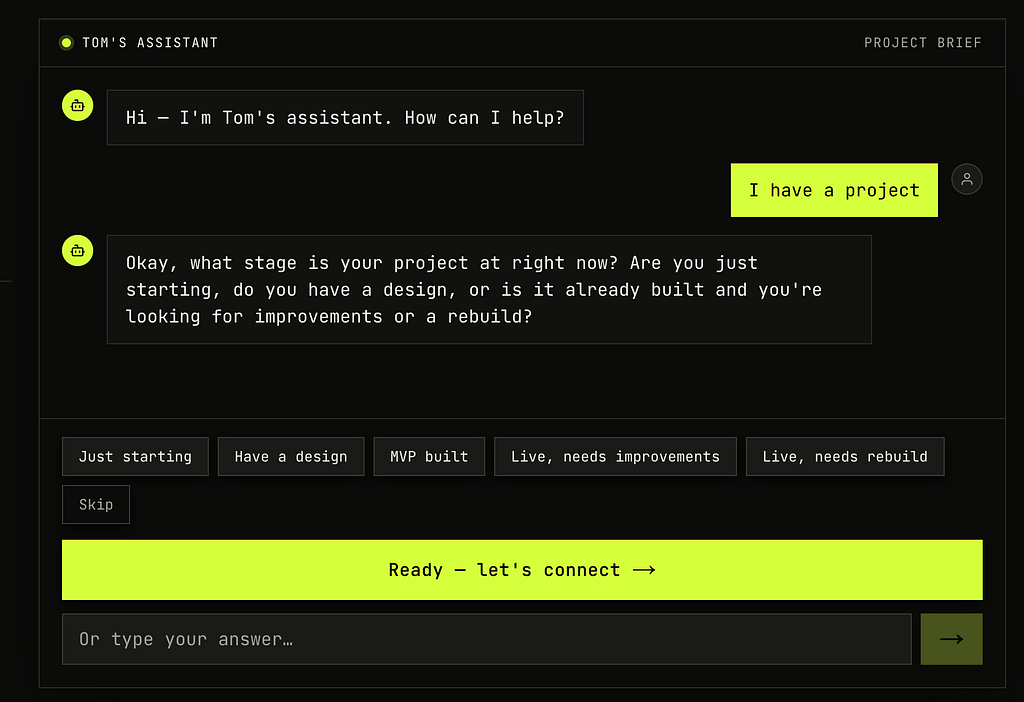
I almost reached for a chatbot SDK. There are a dozen of them now, all promising a drop-in widget with a config object and a webhook. I had a client who wanted a chat assistant on their Next.js site that could answer questions about the business and quietly figure out whether the person on the other end was a real lead worth following up with. The fast move was to wire up a hosted service and move on.
I didn't, and I'm glad. I stayed inside the framework I already had, Next.js, and skipped the hosted chat product entirely. The whole thing ended up being one API route, one React hook, and a carefully written system prompt. No third-party SDK, no vendor lock-in, no monthly per-conversation bill. The Gemini API does the hard part, and the rest is plumbing I fully control.
This article is about that plumbing, because the plumbing is where every tutorial waves its hands. Streaming the response is the easy 20 percent. The other 80 percent is conversation state, the first turn that Gemini secretly rejects, getting structured data out of a model that wants to chat, and keeping bots from running up your token bill. I'll show you the parts I had to figure out the hard way.
What this covers
A streaming chat endpoint using Gemini 2.5 Flash, with the system prompt doing the conversational logic instead of a state machine in your code. How to feed conversation history back to the model correctly, including the one rule that will throw a 400 on your very first message if you miss it. How to make the model emit machine-readable output mid-conversation without breaking the chat. And the defenses you need before this touches production, because a public endpoint that calls a paid API is a target.
Everything here is from a real build that's live. The stack is Next.js with the App Router, the official @google/generative-ai package, and a plain React hook for the client. No other dependencies for the chat itself.
The model does the logic, not your code
The instinct with a qualifying chatbot is to build a state machine. Ask question one, store the answer, ask question two, and so on. I started down that road and the code got ugly fast, because real people don't answer in order. Someone types one sentence that answers four of your questions at once, and a rigid script asks the next scripted question anyway and sounds like a broken form.
So I moved the logic into the system prompt and let Gemini drive. The prompt defines phases, an intent-routing phase, a qualification phase, and a free question-and-answer phase, and the model decides when to move between them. My code does almost no conversational reasoning. It streams text and watches for one signal that qualification is done.
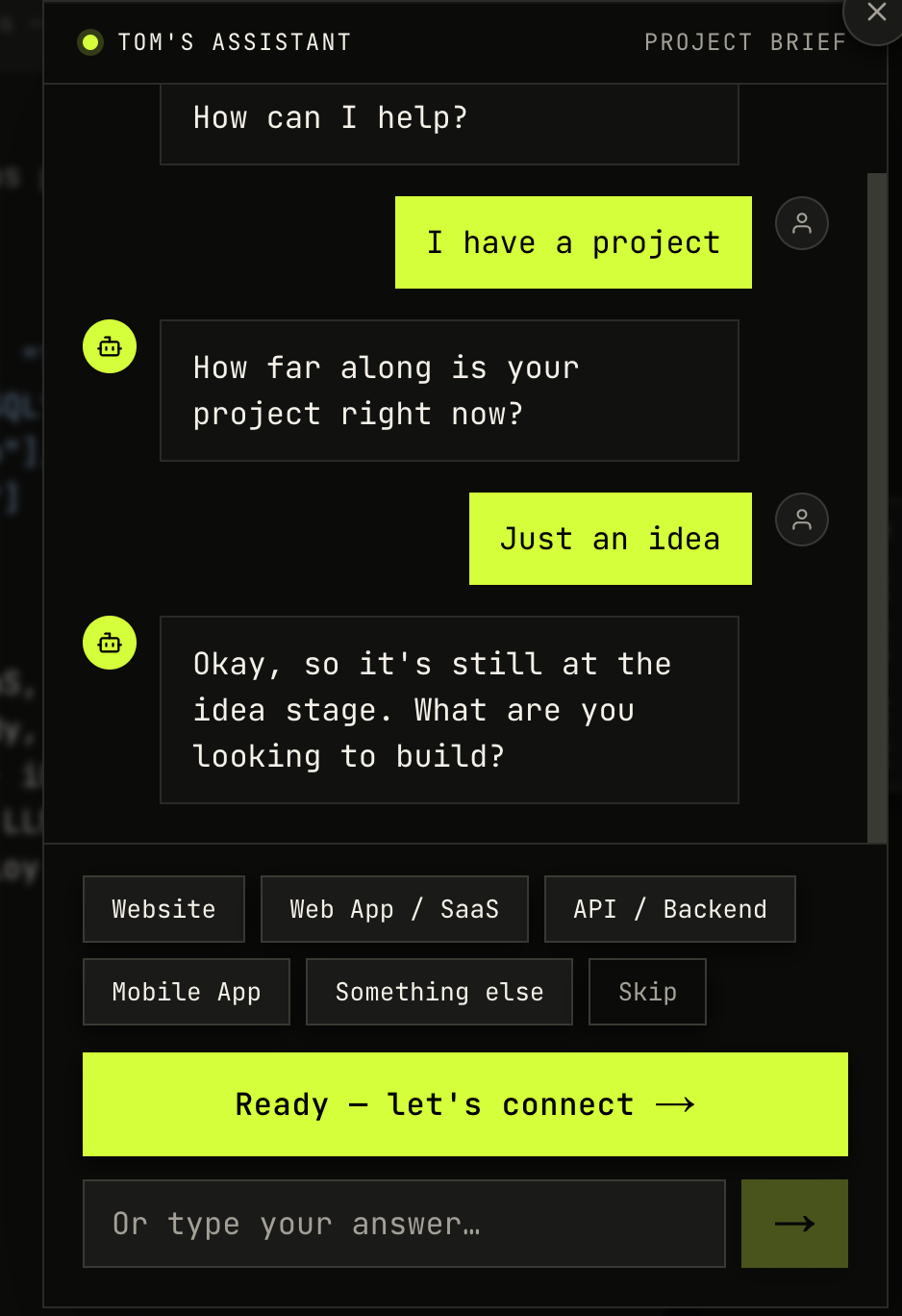
Here is the shape of the instruction block that sits on top of the knowledge base:
const QUALIFY_INSTRUCTIONS = `
PHASE 0 — INTENT
Read the visitor's first message and route:
- If they describe building something, go to PHASE 1 and qualify it.
- If it's a general question, go straight to PHASE 2. Do NOT ask qualification questions.
- If it's ambiguous, ask ONE short clarifying question.

PHASE 1 — QUALIFICATION (adaptive)
Ask ONE question per message, max 2 sentences, no preamble.
Adapt to previous answers. Never re-ask something already answered.
If a rich answer covers multiple topics at once, skip ahead.

When you have covered the core topics, respond with ONLY this JSON on a single line:
{"event":"qualify_done","data":{"goal":"...","scope":"...","timeline":"...","budget":"...","contact_pref":"..."}}

PHASE 2 — FREE QUESTIONS
Answer questions using your knowledge base. Max 3 sentences. No more JSON.`
The word that earns its place there is "adaptive." The model already knows how to hold a conversation. Fighting that with branching code throws away the one thing it's good at. My job is to tell it what I need and to recognize when it's done, not to micromanage every turn.
This shifts the design effort from your TypeScript to your prompt, and that's a real trade. A vague prompt gives you a vague chatbot, and you debug it by reading transcripts, not stack traces. But the result speaks like a person instead of a survey, and that difference is the entire point of using a language model at all.
The first turn Gemini rejects
Here's the one that cost me twenty minutes of confusion. Gemini's chat API requires the conversation history to begin with a user turn. Not an assistant turn, a user turn. If your history starts with a model message, the request fails.
This bites you specifically because of good UX. I wanted the assistant to greet the visitor first, an opening line that appears before they type anything, so the chat never sits there empty. I render that greeting on the client with no API call at all, which also means the chat can't error on open and costs nothing for people who never reply.
const GREETING = "Hi, I'm the assistant here. How can I help?"That greeting gets recorded in the conversation history as an assistant message, so the model has context once the user replies. Which means the history I send to Gemini starts with an assistant turn, which is exactly what it refuses.
The fix is to strip any leading model turns before sending, after building the history but before starting the chat.
const history = messages.slice(0, -1).map((m) => ({
  role: m.role === "assistant" ? "model" : "user",
  parts: [{ text: m.content }],
}))

// Gemini requires history to begin with a "user" turn. The UI seeds an opening
// assistant greeting locally, so strip any leading model turns before sending.
while (history.length && history[0].role === "model") history.shift()
Note two details: Gemini uses model as the role name, not assistant, so you map it. And you slice off the last message because that one gets sent separately to sendMessageStream, not as history. Getting either of those wrong produces a different confusing error, so they're worth saying out loud.
Streaming the response
The streaming itself is the part the docs cover well, so I'll keep it short. You create the model with your system instruction, start a chat with the cleaned history, and pipe the token stream into a ReadableStream that the route returns as plain text.
const genAI = new GoogleGenerativeAI(apiKey)
const model = genAI.getGenerativeModel({
  model: "gemini-2.5-flash",
  systemInstruction: SYSTEM_INSTRUCTION,
})

const chat = model.startChat({ history })
const result = await chat.sendMessageStream(lastMessage.content)

const encoder = new TextEncoder()
const readable = new ReadableStream({
  async start(controller) {
    for await (const chunk of result.stream) {
      const text = chunk.text()
      if (text) controller.enqueue(encoder.encode(text))
    }
    controller.close()
  },
})

return new Response(readable, {
  headers: { "Content-Type": "text/plain; charset=utf-8" },
})
I stream plain text, not server-sent events or a JSON protocol. The client reads the body with a TextDecoder and appends chunks. For a single-turn request-response chat, the extra ceremony of SSE buys nothing, and plain text is trivial to consume on the client.
gemini-2.5-flash is the right tier here. It's fast enough that the streaming feels live, cheap enough that an always-on widget doesn't hurt, and more than smart enough to follow a structured prompt and hold a conversation. I did not need the Pro model for this, and reaching for it would have made every reply slower and pricier for no gain.
To put a number on cheap, the API runs on prepaid credit. You load a balance and each call draws against it. I put in 10 euros of credit to test with, expecting to watch it drain. As of June 2026 a full conversation through this assistant, a greeting, a qualification round, and a few follow-up questions, cost me around one cent in euros per chat, which is quite cheap to me. Not one cent per message, one cent for the whole exchange. That balance is effectively bottomless for anything at contact-form volume.
That economics changes how you think about abuse. The risk isn't your hosting falling over, it's bots quietly draining prepaid credit one cheap call at a time, which is exactly why the defenses later in this article are speed bumps rather than fortresses. You're protecting a balance, not surviving a load test.
Getting structured data out of a conversation
This is the trick that makes the whole thing useful instead of just chatty. I need two different kinds of output from the same model in the same stream. Most of the time it produces conversational text for the human. But when qualification finishes, I need a clean object I can drop into an email and a CRM, not a paragraph I have to parse with regret.
The prompt handles this by instructing the model to emit a single line of JSON, and only JSON, when it has gathered what it needs. The client watches the accumulated stream for that JSON and pulls it out.
function extractJson(text: string, start: number): string | null {
  let depth = 0
  for (let i = start; i < text.length; i++) {
    if (text[i] === "{") depth++
    else if (text[i] === "}") { depth--; if (depth === 0) return text.slice(start, i + 1) }
  }
  return null
}

const jsonStart = accumulated.indexOf('{"event":')
const jsonBlock = jsonStart !== -1 ? extractJson(accumulated, jsonStart) : null
const cleanText = jsonBlock ? accumulated.replace(jsonBlock, "").trim() : accumulated.trim()
I find the JSON by its opening marker, then walk the braces to find the matching close. A naive approach grabs everything from the first brace to the last brace in the string, which breaks the moment the model includes a brace anywhere else. Counting depth handles nested objects and stray braces correctly, and it's a dozen lines.
The same parsing idea drives the quick-reply buttons. After each question, the model appends suggested replies on the last line in a format I defined, and the client strips them out of the displayed text.
function parseChips(text: string): { text: string; chips: string[] } {
  const m = text.match(/\[\[\s*chips\s*:([^\]]*)\]\]/i)
  if (!m) return { text: text.trim(), chips: [] }
  const chips = m[1].split("|").map(s => s.trim()).filter(Boolean)
  const clean = text.replace(m[0], "").trim()
  return { text: clean, chips }
}
The model writes [[chips: I have a project | Just a question | Something else]] and the user sees three buttons. This is a small thing that changes the feel completely. People click far more than they type, and letting the model suggest the options per question, instead of hardcoding them, means the buttons stay relevant to whatever it just asked.
The honest limitation here is that you are trusting the model to follow a format. It mostly does, and when it doesn't, the fallback is graceful, no JSON found means the text renders as a normal message, no chip markers found means no buttons. Nothing crashes. But if you needed a hard guarantee of structured output, you'd reach for the model's function-calling or response-schema features instead of pattern matching a text stream. For a chat where the structured event is one signal among many conversational turns, parsing the stream was the lighter tool, and the failure mode is "no buttons this turn," not a broken app.
- - - Bonus - - -
Defending a public endpoint that spends money
This is the section the tutorials skip, and it's the one that matters most once the thing is live. You have a public route that calls a paid API. Left open, it's an invitation, someone runs up your Gemini bill, or just floods your inbox through the contact handler.
I layered three cheap defenses, none of which need a database. First, a per-IP rate limit held in memory, active only in production so local testing stays unthrottled.
const ipRequests = new Map<string, { count: number; windowStart: number }>()
const WINDOW_MS = 60 * 60 * 1000
const MAX_REQUESTS = 60

function isRateLimited(ip: string): boolean {
  const now = Date.now()
  const entry = ipRequests.get(ip)
  if (!entry || now - entry.windowStart > WINDOW_MS) {
    ipRequests.set(ip, { count: 1, windowStart: now })
    return false
  }
  if (entry.count >= MAX_REQUESTS) return true
  entry.count++
  return false
}
The in-memory map resets on restart and doesn't share state across instances, so it's a speed bump, not a fortress. For a single-instance deployment it's plenty. If you scale horizontally, you move this to Redis, and the interface stays the same.
Second, a honeypot. A hidden input that humans never see and never fill, but bots fill automatically because they fill every field. If it arrives with a value, the request is a bot, and I reject it before spending a single token.
const { messages, _hp, _ts } = body
if (_hp) return new Response("bad_request", { status: 400 })
Third, Cloudflare Turnstile, and this is the one with a design decision worth explaining. Turnstile is a CAPTCHA replacement that mostly runs invisibly. The tempting implementation is to block any request that fails verification. I made it fail-open instead.
const tsSecret = process.env.TURNSTILE_SECRET_KEY
if (tsSecret && _ts) {
  try {
    const tsRes = await fetch("https://challenges.cloudflare.com/turnstile/v0/siteverify", {
      method: "POST",
      headers: { "Content-Type": "application/json" },
      body: JSON.stringify({ secret: tsSecret, response: _ts }),
    })
    const tsData = await tsRes.json() as { success: boolean; "error-codes"?: string[] }
    if (!tsData.success) {
      console.warn("Turnstile check failed (proceeding):", tsData["error-codes"])
    }
  } catch (e) {
    console.warn("Turnstile verify request errored (proceeding):", e)
  }
}
Turnstile fails for reasons that have nothing to do with the user being a bot. A network that blocks Cloudflare, an aggressive ad blocker, an expired token, a transient error on Cloudflare's side. Blocking a real person from talking to a business because their browser extension tripped a check is a worse outcome than letting through the rare bot that also clears the honeypot and the rate limit. So a failed or missing check gets logged and the request proceeds. Turnstile is one signal in the stack, not the gate.
The distinction I want to leave you with is between defenses that should hard-fail and defenses that should soft-fail. The honeypot hard-fails, because a filled honeypot is unambiguous, no real user trips it. The rate limit hard-fails, because the cap is generous enough that a real person won't hit it. Turnstile soft-fails, because its false positives land on real users. Deciding which is which for each defense is the actual security work, and it's more important than which library you picked.
Building the public-key part for Docker (optional - if you use Docker in your server)
One last trap, because it's specific to deploying a Next.js app with Gemini in a container. The Turnstile site key is a NEXT_PUBLIC_ variable, which means Next inlines it into the client bundle at build time, not runtime. If your Dockerfile builds the app without that variable present, the key is undefined in the shipped JavaScript, and the widget silently renders with nothing.
The fix is to pass public variables as build arguments, declared before the build step.
ARG NEXT_PUBLIC_TURNSTILE_SITE_KEY
ENV NEXT_PUBLIC_TURNSTILE_SITE_KEY=$NEXT_PUBLIC_TURNSTILE_SITE_KEY

COPY . .
RUN npm run build
Runtime environment variables, the ones you set in docker-compose or your platform's dashboard, arrive too late for anything NEXT_PUBLIC_. The secret key, which only the server touches, is the opposite, it stays a runtime variable and never goes near the build. Mixing those two up gives you a widget that works locally and quietly does nothing in production, which is the worst kind of bug.
Another little bonus, capturing the conversations that never finish
Here's a pattern I added late and would now build from the start. Most people who open a chat assistant leave without submitting anything. They ask a couple of questions, get their answer, and close the tab. By default you learn nothing from them, which is a waste, because the questions they asked are a free stream of insight into what visitors actually want.
So I send the transcript anyway when someone leaves mid-conversation, flagged as incomplete. The trick is doing it reliably during page unload, when a normal fetch gets killed the moment the browser tears the page down. The browser has an API built for exactly this, navigator.sendBeacon, which queues a small POST that survives the page closing.
const flushAbandoned = useCallback(() => {
  if (abandonedSentRef.current || sentRef.current) return
  // "Meaningful" = at least two real user replies, skips drive-by opens.
  const userTurns = historyRef.current.filter(m => m.role === "user").length
  if (userTurns < 2) return
  abandonedSentRef.current = true

  const payload = JSON.stringify({ incomplete: true, conversation: historyRef.current })

  if (typeof navigator !== "undefined" && navigator.sendBeacon) {
    navigator.sendBeacon("/api/contact", new Blob([payload], { type: "application/json" }))
  } else {
    fetch("/api/contact", { method: "POST", body: payload, keepalive: true }).catch(() => {})
  }
}, [])
Three guards make this behave. The abandonedSentRef ensures it fires at most once, because the unload events can stack and you don't want three copies of the same transcript. The sentRef check skips people who already submitted properly, no point flagging a completed lead as abandoned. And the two-reply minimum filters out drive-by opens, someone who clicks the bubble and immediately leaves generated nothing worth an email.
I wire it to the events that actually fire on leave, which is the second subtle part. beforeunload is unreliable on mobile, so the pair that works is pagehide plus a visibilitychange handler that checks for the hidden state.
useEffect(() => {
  const onHide = () => { if (document.visibilityState === "hidden") flushAbandoned() }
  window.addEventListener("pagehide", flushAbandoned)
  document.addEventListener("visibilitychange", onHide)
  return () => {
    window.removeEventListener("pagehide", flushAbandoned)
    document.removeEventListener("visibilitychange", onHide)
    flushAbandoned()
  }
}, [flushAbandoned])
The cleanup function calls flushAbandoned too, which covers the case where the chat component unmounts without the page unloading, a route change, or a widget being closed. The once-only guard means this extra call is free if the beacon already went out.
The endpoint on the receiving side needs the same defenses as everything else, because it's now a second public route that can be hammered. The honeypot and rate limit I described earlier apply here unchanged. A pattern that emails you on every page unload is a pattern a bot will happily exploit if you leave it open.
Closing
The version of this I almost built, a hosted widget with a config object, would have been running in an afternoon. The version I did build took longer and taught me where the real edges are, the first-turn rule, the brace-counting parser, the fail-open security call. I own all of it, it costs me the price of Gemini tokens and nothing else, and when the client wants the assistant to behave differently, I edit a prompt instead of filing a support ticket.
That's the case for building it yourself, not that it's harder sicne nowadays building with AI makes it all so much easier, but that the hard parts are the parts worth understanding. The model is a commodity now. The judgment about how to wrap it is the work.
_If you know of a better solutions, some things I can add up to my method or simply just say hi!, speak to me through my AI chatbot assistant at _https://www.helloimtom.dev/
Also published on Medium